A household medication list and log: who takes what, and when.
Mark doses as taken and print the list for any doctor. Free for one person, no account, no subscription. The web version does not send reminders.
Price, plainlyFree for one person. $14.99 once to add everyone else.
Open Pillfolk in your browser. It works now on any phone or computer, with no account, and keeps everything in that browser. Coming later to the App Store and Google Play. Read the privacy policy first if you like.
What it looks like
Why it is different
Who takes what, and when
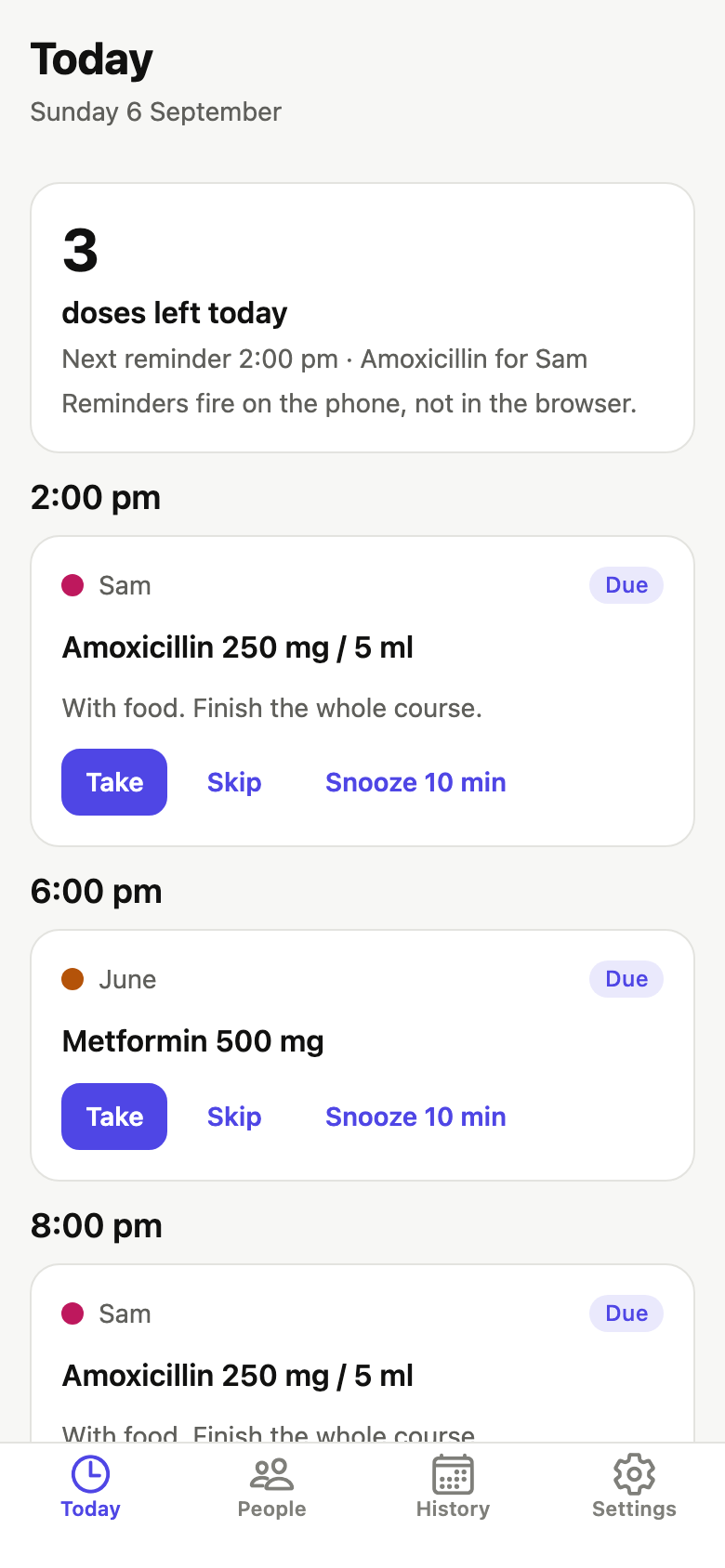
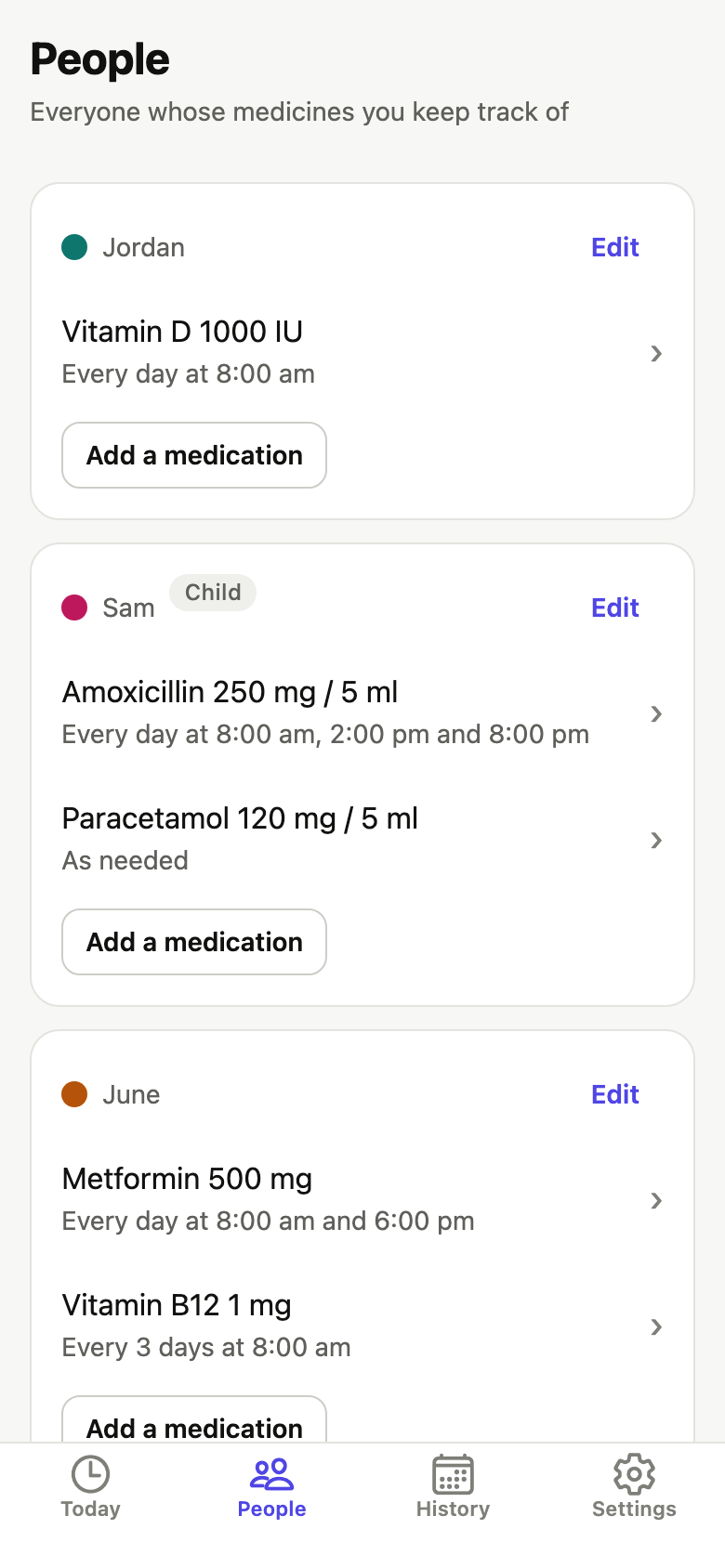
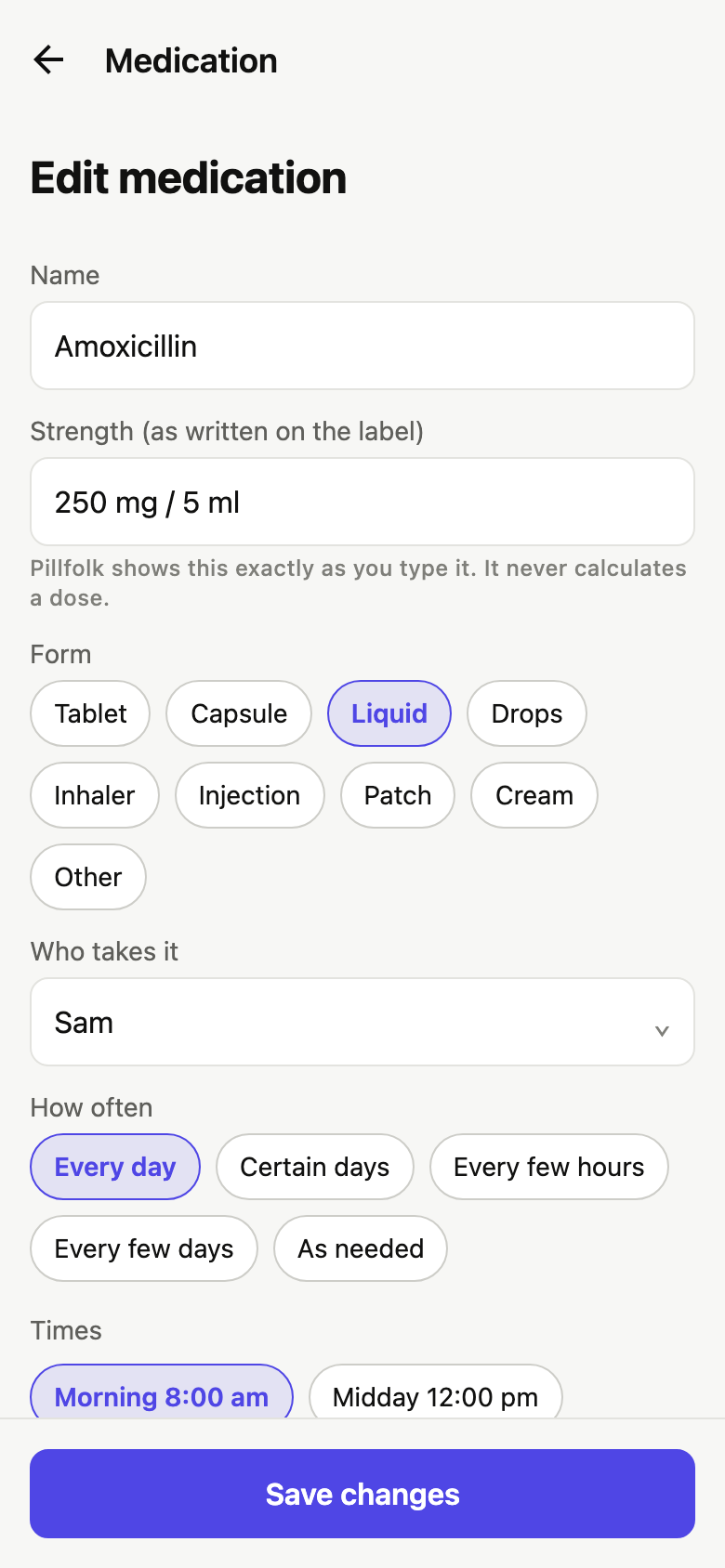
Each person’s medications with their schedule: daily at set times, weekdays only, every N hours, every N days, or as needed. Today lists what is due, by time and by person.
Mark it taken
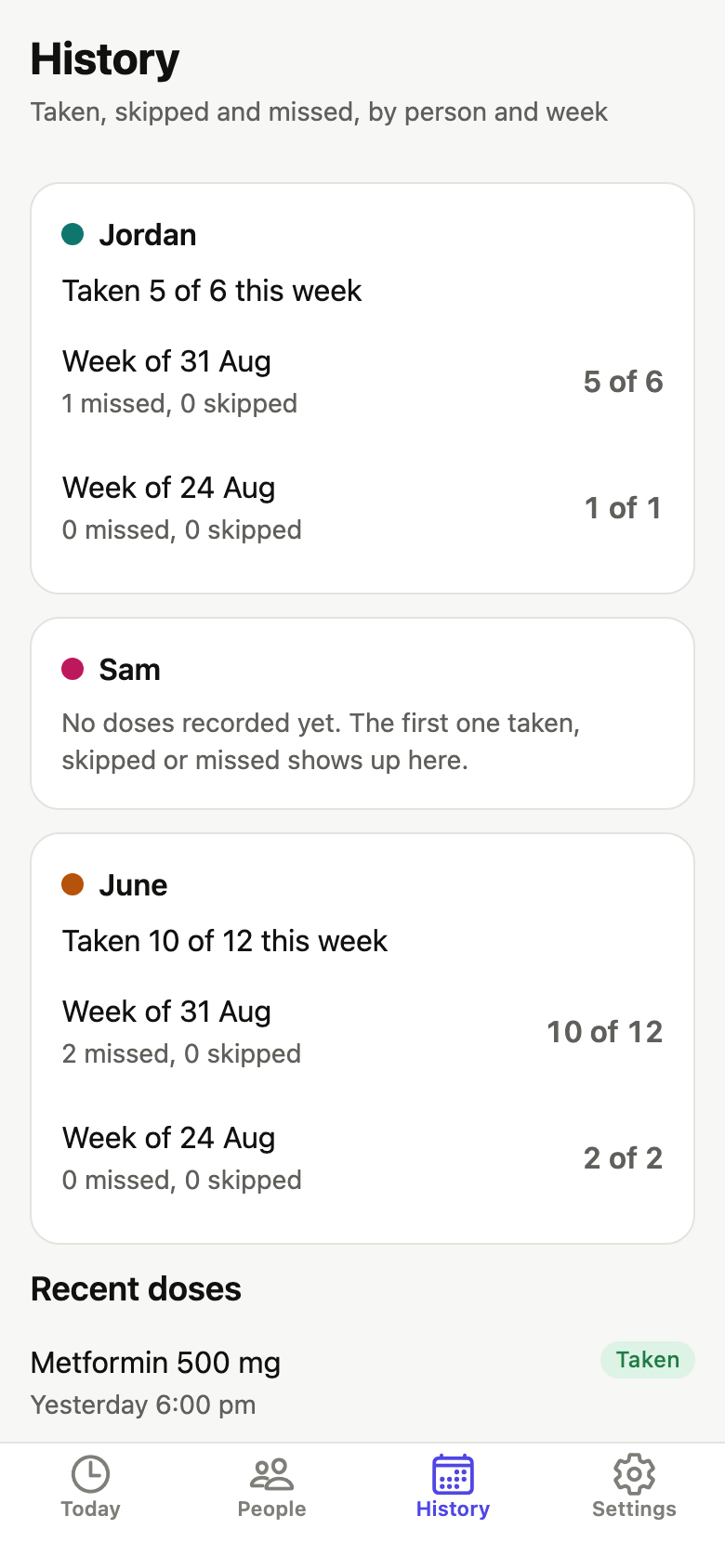
Take or Skip on each dose records the time you acted. As-needed medicines get a “Log a dose” button, so “when was the last one given?” has an answer.
A printable med list
Per person or for the whole household: name, strength as you typed it, form, schedule, prescriber, pharmacy, refill date. For the doctor, the school form or the hospital bag.
The household, in colour
One person or many, each with their own colour. Children are entries a parent makes, never users; an optional age band, never a birthdate.
No reminders on the web, said plainly
The web version does not send reminders or notifications. It is a list and a log, not an alarm, so do not rely on it for a dose that must not be missed. Reminders will come with the iPhone app.
Local only
No account, no email, no analytics, no server. Export everything as JSON or delete everything from Settings in two taps.
The first minute
- Add yourself. A first name is all it asks.
- Add one medication: name, optional strength, and a time chip (Morning, Midday, Evening, Night or custom).
- Today lists the dose under its time. Tap Take when it is taken, and the log keeps the time.
- Print the medication list from the People tab whenever a doctor or a form asks for it.
Price, plainly
Free for one person. $14.99 once to add everyone else.
Not a trial and not capped at two medications. One purchase unlocks unlimited people, and nothing you have entered is ever hidden or locked.
On the web the one-time unlock is paid through Stripe Checkout and gives you an unlock code, still with no account. No subscription, no renewal, no tiers.
Who it is for
For the household’s keeper of the list: your own tablets, a child’s antibiotic three times a day, a parent’s morning and evening pills. For anyone who wants one clear record of who takes what, when, and when the last dose was given, with nothing to sign up for.
Privacy in one sentence
Everything stays in this browser on this device. No account, no analytics, no server.
The full privacy policy says the same thing at length, and the Consumer Health Data Policy is the section Washington, Nevada and Connecticut law asks for by name.